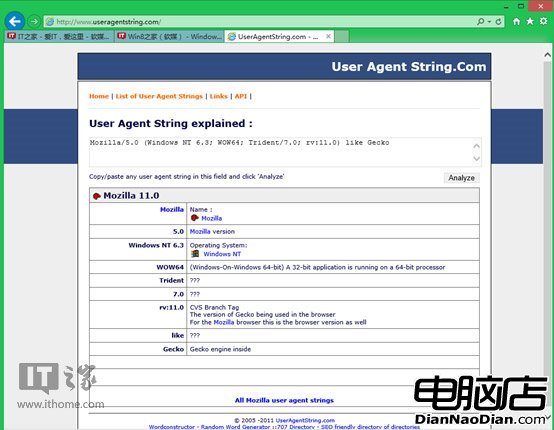
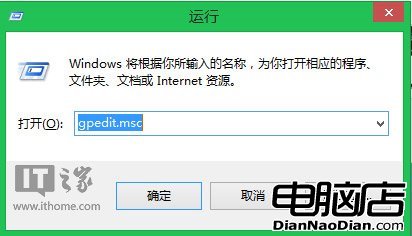
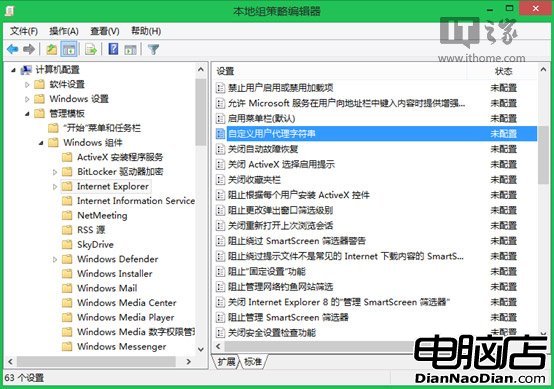
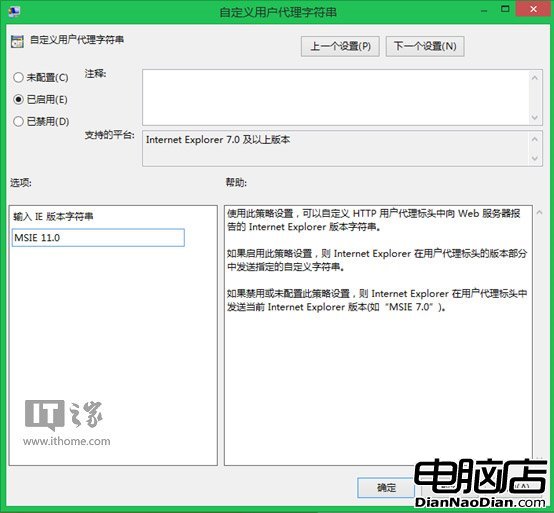
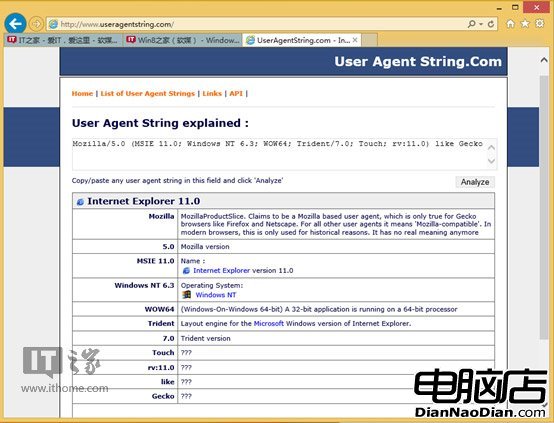
IE11 重新設計 User Agent 字串(含 Gecko 關鍵字),導致許多網站(如網銀、IE 標準站)誤判為 Firefox 而拒絕服務。解決方案:透過群組原則 (gpedit.msc) 修改「自訂使用者代理字串」為「MSIE 11.0」(或 IE8/9/10),恢復正確識別。步驟:Win+R→gpedit.msc→電腦設定→管理範本→Windows 元件→Internet Explorer→自訂使用者代理字串→啟用並輸入版本字串→重開 IE11 即可暢遊無阻。
Windows 8.1 代碼最終測試定於 8 月 23 日 RTM 版本簽名在即
Windows 8.1 Reading List新功能:跨裝置同步收藏網頁內容
Win10 瘋狂推送不想升級怎麼辦?微軟 2016 年將列為「推薦更新」自動下載安裝
微軟收購家庭自動化公司R2 Studios:併入Xbox部門,強化下一代主機生態
微軟全平台同步更新藍圖:Windows Blue 不止於 Win 8,含 WP8、雲服務、Server 統一年度迭代
建議:WP8.1鍵盤應加入手寫標點符號輸入,提升打字效率
1 月 21 日,新篇章,新期待!
諾基亞 Lumia 505 開箱:運行 Windows Phone 7.8,配置較低