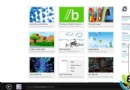
利用 Win8 內建郵件應用收發第三方信箱:
附完整截圖步驟,免登網頁收發郵件,特定環境下便利。
蘋果釋出 OS X 10.5 Leopard Flashback 移除工具,補全舊版系統防護
AdDuplex:僅15.2% WP手機升級Win10 Mobile,WP 8.1仍佔81.1%絕對優勢
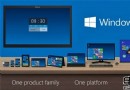
Windows 9 概念設計圖曝光:統一介面、應用跨平台
微軟回應 Windows RT 越獄:正在調查並可能採取措施
解決 Win7 滑鼠喚醒誤觸發、WMP 視訊加速導致 CPU 飆高雙重問題
電腦系統日常維護實戰指南(恢復篇):拒絕盲目打客服,善用網路資源自救
Win10 Build 14366 推送至 Slow Ring:Edge 線上 Office、應用商店效能優化
傳微軟明年 11 月發布 Windows 9:Beta 1 月、RC 7 月、RTM 10 月,仍無開始按鈕