針對Win8.1 Update安裝失敗錯誤碼800f0092、80073712等頂疾,微軟售後工程師提供官方修復流程:
DISM.exe /Online /Cleanup-image /Restorehealth與dism /online /cleanup-image /startcomponentcleanup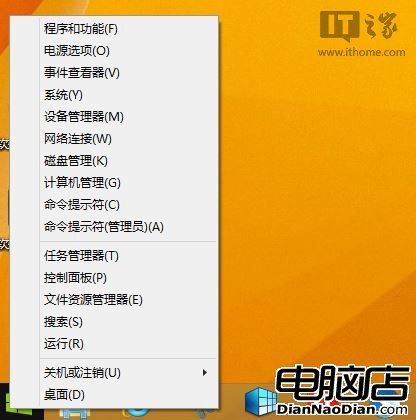
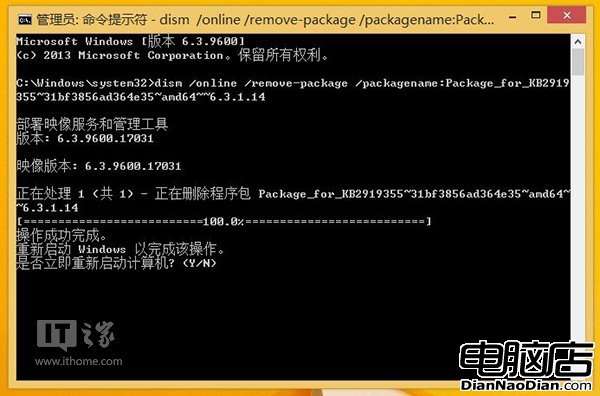
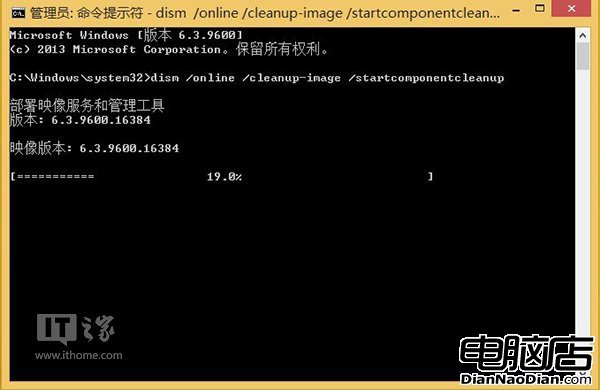
方案經實測有效,解決大量用戶無法更新困境。
Windows Intune 2.0 正式版 10 月 17 日發布:雲端 PC 管理與安全防護
Windows 7 超強預覽功能:資源管理器內直接看圖、聽歌、讀文檔
Win10 虛擬鍵盤新增文本預測功能:英文輸入狀態下搜索場景可用,類 WP 體驗,期待全局擴展與 Swipe 滑動輸入
BlackBerry Q10 獲 Skype 預覽版,Android 移植優化
微軟將於 1 月 21 日開放 Build 2015 開發者大會報名
Win10/WP10 音樂應用新特性:無間隙播放(Gapless Playback)與 FLAC 支援
福昕軟體發布首款國產 Win8 Metro 應用:Foxit Embedded PDF SDK 支援多語言開發、跨模式相容