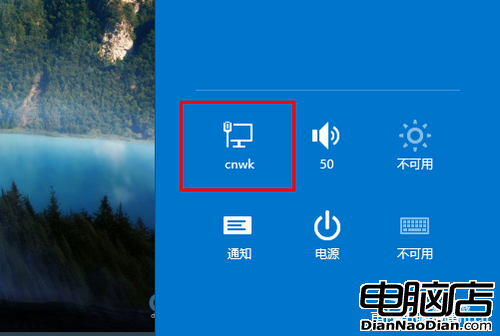
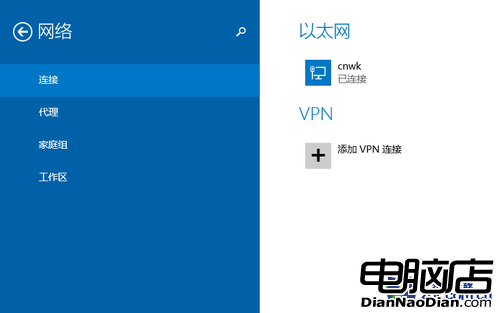
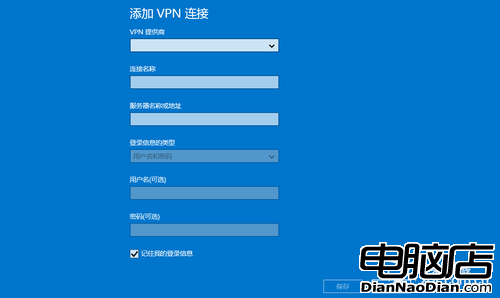
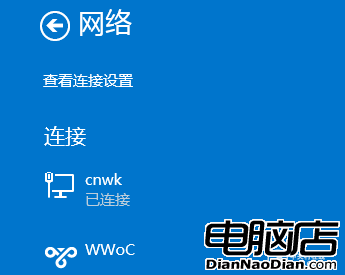
Windows 8.1 設定 VPN 連線極簡單:滑鼠移至螢幕右上/右下角喚出超級欄→選「設定」→點擊網路→選「新增 VPN 連線」→填入提供者、連線名稱、伺服器名稱、帳號、密碼→儲存。之後在設定的網路區即可看到 VPN 選項,點擊即連線。系統將複雜網路設定簡化為直覺流程,讓用戶輕鬆達成遠端連線需求。
幾步驟搞定 VPN,Windows 8.1 簡化操作體現人性化設計。
斯堪地納維亞地區 Win10 佔有率逼近 Win7:丹麥 Win10 達 27.95%、Win7 32.92%
微軟預估 Windows 10 兩三年裝機量破 10 億
Win 10 Mobile 10586.11 修復內容與已知問題完整彙整
Windows 8 售價或低於 Windows 7:省去 DVD 授權、應用商店分成成新營收,分析建議降價降低嘗試門檻
Windows 8 Metro 風格席捲紙本雜誌封面
NPD:去年假日季Windows筆電銷量同比跌11%,Win8未能刺激需求
傳部分 Windows 9 將取消傳統桌面
微軟悄悄延長消費版 Win 7/Vista 支援至 10 年:Win 7 享擴展支援至 2020 年