Windows XP Windows 7 Windows 2003 Windows Vista Windows 綜合教學 Linux 系統教學
Windows 10 Windows 8 Windows 2008 Windows NT Windows Server 電腦軟體教學
您现在的位置: Windows教程網 >> Windows教程 >  >> Windows 綜合教學 >> Windows 資訊

誤刪 Win10 內建「Windows Feedback」應用?PowerShell 重新註冊找回全過程

編輯:Windows 資訊

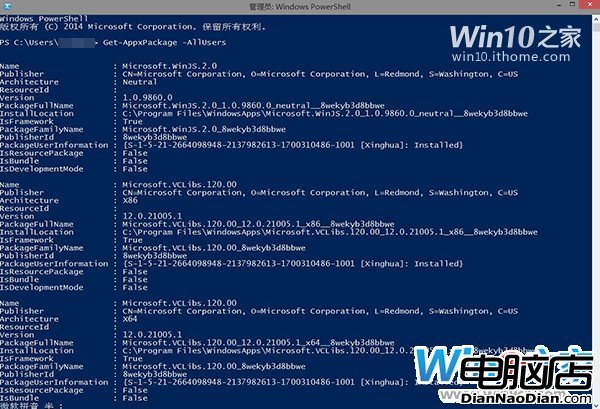
使用 Get-AppxPackage -AllUsers | Remove-AppxPackage 批量刪除 Modern 應用時,連帶刪除 Win10 專屬反饋工具「Windows Feedback」,且商店無法重裝。實則僅解除註冊,文件仍在,可通過重新註冊找回。
找回步驟

  1. 右鍵菜單添加「管理員取得所有權」(軟媒魔方 → 設置大師 → 右鍵菜單 → 添加項目 → 勾選該選項)
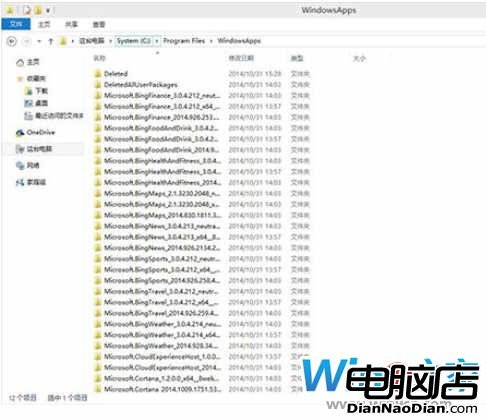
  2. 進入 C:\Program Files\WindowsApps(需顯示隱藏文件),右鍵該文件夾 → 「管理員取得所有權」
  3. 搜索含 Feedback 關鍵字文件夾,進入第二個(主文件夾,文件最全),定位 appxmanifest.xml,保持窗口打開
  4. 管理員模式 PowerShell 執行:
    add-appxpackage -register "C:\Program Files\WindowsApps\Microsoft.MicrosoftFeedback_6.4.9860.0_x64__8wekyb3d8bbwe\appxmanifest.xml" -disabledevelopmentmode

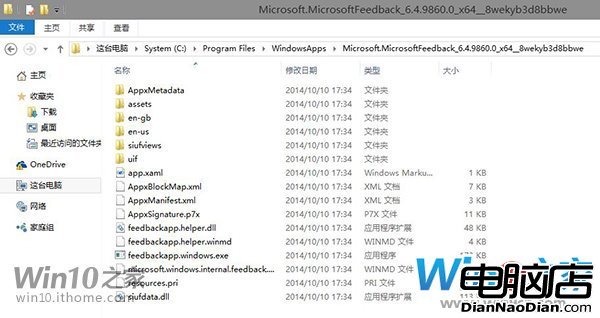
    (路徑以實際文件夾名稱為準,建議複製粘貼)
  5. 開始菜單/屏幕磁貼處重現 Windows Feedback,默認固定,找回成功

⚠ 不推薦批量刪除現代應用——會誤傷所需應用,且已購未裝應用磁貼不會消失。此法僅供誤刪救急。

Copyright © Windows教程網 All Rights Reserved