似乎微軟重新設計了 Internet Explorer 核心引擎(僅適用 Build 9879),將「Trident」引擎分為兩部分:若網站要求相容模式,IE 將使用較舊但資源庫較豐富的 IE11 引擎顯示;否則使用重新設計、較輕量的 IE12 Trident 引擎(稱為「Edge 12.0」)顯示網站。
預設情況下 IE 將自動選擇引擎。新版本中用戶可自行開啟「總是使用新引擎」。
開啟方法:
about:flags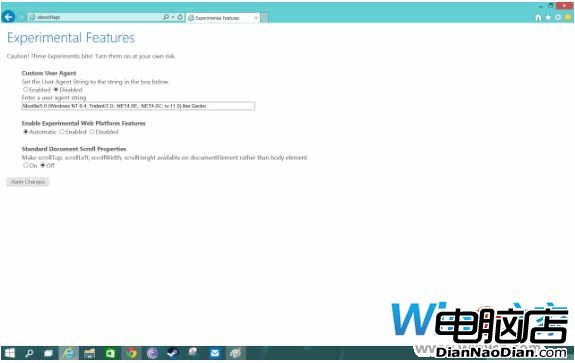
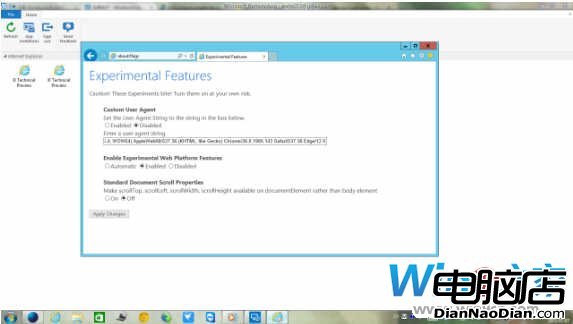
順道一提:微軟 Remote App 遠端測試新版 IE 預設啟用:
微軟團隊慶祝 Windows 8 發布:400 萬安裝量突破
微軟確認 Windows 8.1 將於 10 月 17 日晚間 7 點全球推送免費更新
微軟推送 Win7 正版驗證更新 KB971033:檢測 70 種破解漏洞,用戶自願安裝
20 年漏洞終修:微軟 6 月更新修復 BadTunnel,影響 Win95 至 Win10 所有版本
Win 8.1 電話激活策略變更:洩漏金鑰半小時內鎖定,KMS 工具成主流
微軟取消 Win7 Beta 250 萬下載限制:全球用戶免費下載至 1/24,官網曾因流量過大緊急調整