Win7 出現 Awc.exe - 損壞檔案 或右下角黃色驚嘆號錯誤,解決方法:
Awc.exe - 損壞檔案
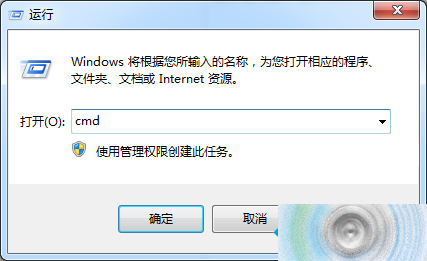
cmd
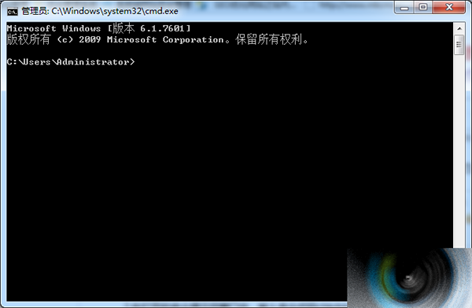
chkdsk /f
注意:若收到提示但未影響操作仍繼續使用,實際上有提示即代表存在問題,應儘速解決。
Win10 Wi-Fi Sense 洩露隱私?如何關閉無線密碼共享功能
Win10 預覽版 10061「人脈」應用閃退臨時修正:清除 contacts.txt 快取
Win10 專業版保留 Windows 聚焦進程卻隱藏功能?微軟或為商務形象刻意限制
Win10 檔案總管頻繁自動重新整理?清理啟動項與服務排查第三方軟體衝突
Win10 首个服务发布包 SR1 下周推送:仅修复 Bug,无新功能
Windows 10 技術預覽版安裝流程圖賞:開始選單兩種模式、跨平台設計、安裝介面完整紀錄
Win10 徹底關閉「快速存取」功能:註冊表修改 Attributes 值隱藏導覽窗格項目
Windows 7 能上 QQ 卻開不了網頁?手動設定 DNS 解決