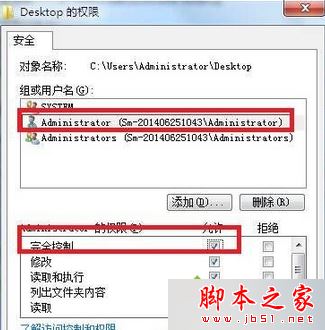
桌面所有檔案無法重命名、刪除,提示「目標資料夾存取被拒絕」,主因為桌面資料夾權限異常。
C:\Users\Administrator\Desktop。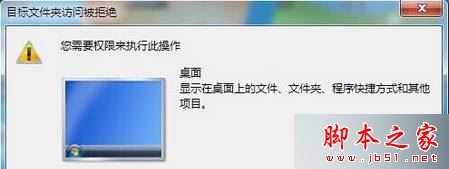
延伸閱讀:Win7 開啟 Local Settings 提示「拒絕存取」解決法。
完成後即可正常重命名、刪除桌面檔案。
Win7 開關機變慢?12 招優化建議從清理桌面到換 SSD
Windows 7 調整介面文字大小 (DPI 縮放) 教學:自訂縮放比例最高可達 500%
微軟推送 Win10 Mobile 10549 快速版組態更新
Windows 7 工作列突然變寬怎麼辦?快速拉回窄狀態教學
一鍵解決Win10驅動與裝機軟體:驅動人生6.2.27.106完美支援Win10驅動修復+軟體安裝
Windows 內建掃描軟體無法掃描?啟用 WIA 服務解決
Win10 任務切換指南:觸控滑動 / Win+Tab 快捷鍵雙模式
Win10 更新 TH2 失敗 0x8007002C-0x3000D?重命名 SoftwareDistribution 或取消保留資料