hosts 檔案 (C:\Windows\System32\drivers\etc\hosts) 被惡意軟體竄改、或誤刪導致網頁無法開啟?將檔案還原為 Microsoft 官方標準內容即可徹底修復。
C:\Windows\System32\drivers\etc → Enter。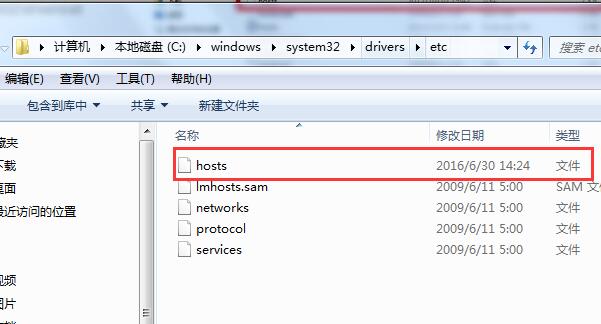
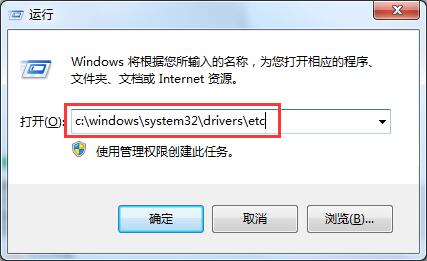
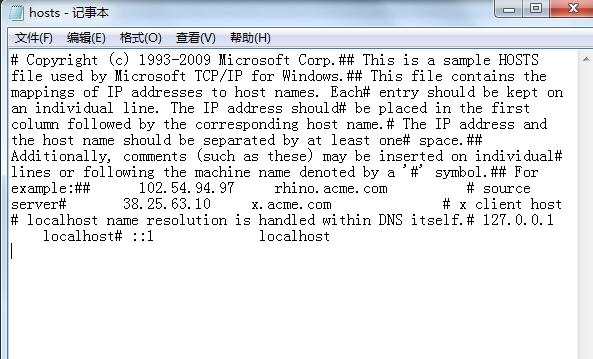
hosts 複製到桌面 → 記事本開啟。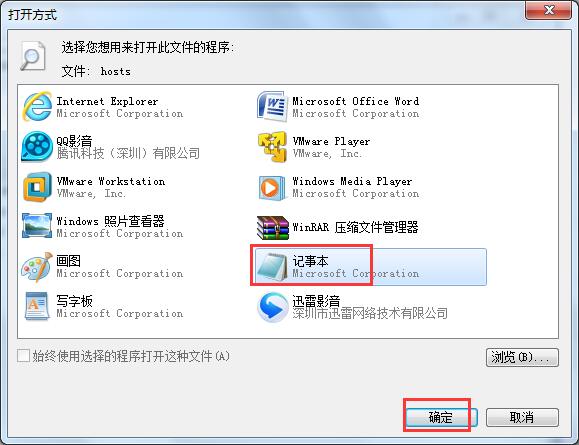
# Copyright (c) 1993-2009 Microsoft Corp.
#
# This is a sample HOSTS file used by Microsoft TCP/IP for Windows.
#
# This file contains the mappings of IP addresses to host names. Each
# entry should be kept on an individual line. The IP address should
# be placed in the first column followed by the corresponding host name.
# The IP address and the host name should be separated by at least one
# space.
#
# Additionally, comments (such as these) may be inserted on individual
# lines or following the machine name denoted by a '#' symbol.
#
# For example:
#
#       102.54.94.97     rhino.acme.com     # source server
#       38.25.63.10      x.acme.com         # x client host

# localhost name resolution is handled within DNS itself.
# 127.0.0.1       localhost
# ::1             localhost
hosts 複製回 C:\Windows\System32\drivers\etc 覆蓋舊檔 (需管理員權限)。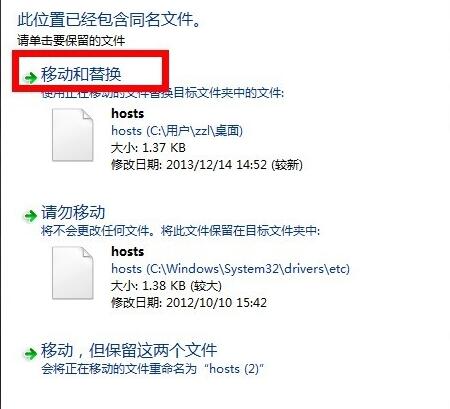
補充:若無法覆蓋 (權限/被佔用),可用 Unlocker 釋放鎖定、或進安全模式操作、或用 PE 環境替換。修復後瀏覽器網頁解析即恢復正常。
此法適用 WinXP/7/8/10/11/Server 所有版本,hosts 標準內容通用。
Win2008 R2 安全設定導致磁碟權限遺失無法開啟?手動加入 SYSTEM/Administrators/Users 權限恢復存取
Win10 關機後電源燈仍亮、風扇持續轉動?降級 Intel MEI 驅動至 9/10 版本即時修復
Windows 10 安裝完整圖文教學:從 ISO 下載到開機完成
Win10 Edge/UWP JavaScript 引擎 ChakraCore 開源版支援 Linux 與 macOS:Node 峰會發布跨平台里程碑
Win10 系統第三方瀏覽器裝哪款最合適?2345、360、QQ、UC、百度、金山、搜狗七款參數對比與優缺點分析