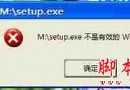
Windows 8 預設強制驅動程式簽章驗證,導致未通過 WHQL 認證的驅動無法安裝,提示「檔案雜湊值不在指定的目錄檔案中」。必須進入「停用強制驅動程式簽章」模式才能安裝。
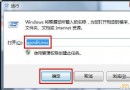
shutdown.exe /r /o /f /t 00 → Enter,系統重啟進入復原環境。bcdedit /set nointegritychecks on(需管理員權限),但會降低系統安全性,不建議常態開啟。微軟公布 Win10 Insider 會員數突破 700 萬 佔總裝機量約 1/10 內測版可免費用正版
Win10 企業版 90 天免費評估版釋出:一般用戶不建議安裝,缺少 Cortana、商店等核心功能
Win10手機版Build 10070辦公應用曝光:Word Preview磚磚加入,動態磚磚間距縮小
Windows 10 Mobile Build 10149 多圖賞析:Edge 瀏覽器、手電筒、動態磚塊優化
Win8 應用程式無法開啟/無回應?罪魁禍首可能是注音/倉頡輸入法相容性問題
Win10 Mobile 10136 無線列印功能實測:支援 PCLm/PWG Raster/Open XPS/MS XPS,免驅動支援 1900+ 印表機