Windows XP Windows 7 Windows 2003 Windows Vista Windows 綜合教學 Linux 系統教學
Windows 10 Windows 8 Windows 2008 Windows NT Windows Server 電腦軟體教學

Windows 8 開機直接進入桌面:啟動資料夾放捷徑法

編輯:Win8 系統應用技巧

Windows 8 開機預設進入 Metro 開始畫面,厭惡者可透過啟動資料夾放入特製 .scf 捷徑,開機短暫顯示 Metro 後自動切換至桌面。

製作捷徑

  1. 記事本輸入以下內容:
[Shell]
Command=2
IconFile=explorer.exe,3
[Taskbar]
Command=ToggleDesktop
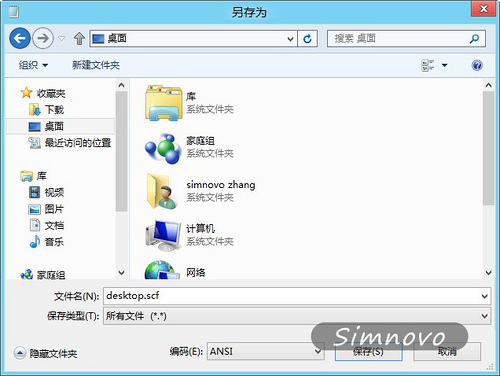
  1. 存檔為 desktop.scf(非 .txt),編碼 ANSI/UTF-8 均可。

部署至啟動資料夾

  1. Win+R 輸入 %appdata% 開啟 Roaming 資料夾。
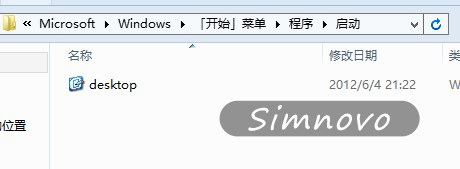
  2. 進入 Microsoft\Windows\Start Menu\Programs\Startup。
  3. 複製 desktop.scf 至此。

效果

下次開機,系統會短暫顯示 Metro 開始畫面,隨即自動執行 ToggleDesktop 指令切換至傳統桌面。

原理

.scf 為殼層命令檔,Command=2 對應「顯示桌面」動作,利用啟動資料夾自動執行機制實現。

Copyright © Windows教程網 All Rights Reserved