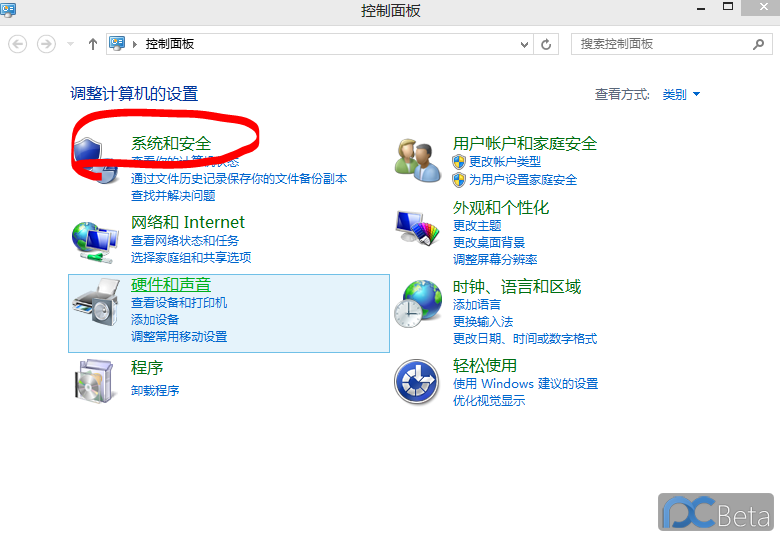
Win8.1 無線網路連線受限或無法連線,解決方法:在無線網路屬性中啟用 FIPS 相容模式。
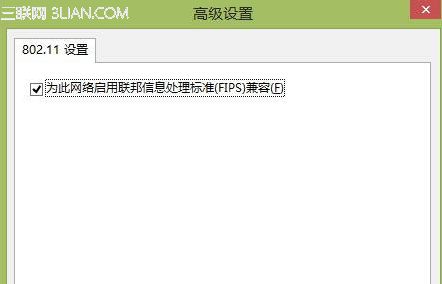
此設定可增強無線連線相容性,解決連線受限與頻繁斷線問題。
Win8 磁碟機代號無法重新命名?刪除 Unlocker 檔案即可解決
Win8 自動更新失敗錯誤 0x800?DISM 掃描修復元件存放區 + RestoreHealth 修復系統映像
Win8 安裝驅動提示「資料無效」解決法:服務中啟用 Device Install Service 與 Device Setup Manager
Windows 8 更換桌面背景完整教學:主題、單一圖片、幻燈片、視窗色彩、螢幕保護
Win8 蓝屏 Win32k.sys 丢失?从正常电脑复制文件进 DOS 替换修复