Win8 建立虛擬網卡 (支援託管網路/熱點) 需在裝置管理員手動新增「Microsoft KM-TEST Loopback Adapter」 (或類似虛擬介面卡),否則 netsh wlan start hostednetwork 會報錯。
新增步驟
- Win + X → 「裝置管理員」。
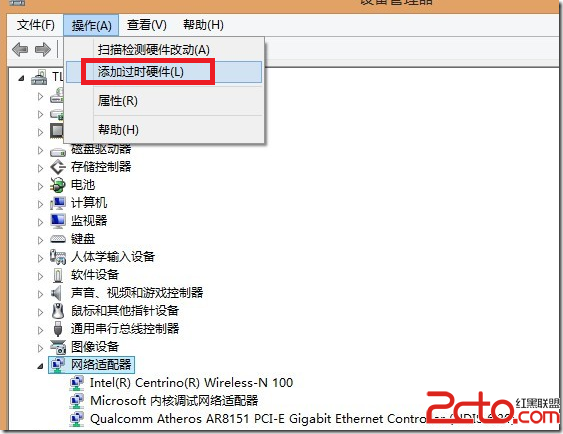
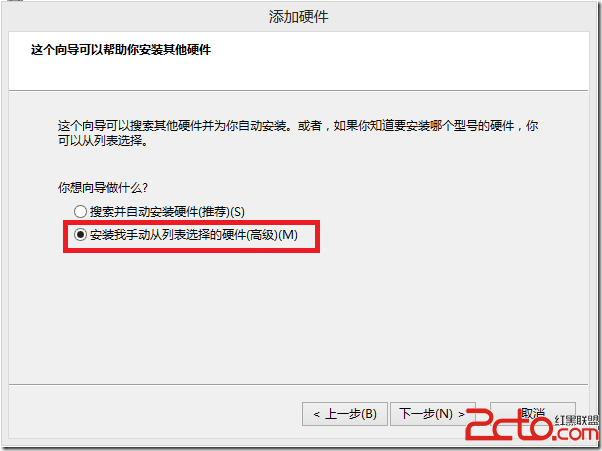
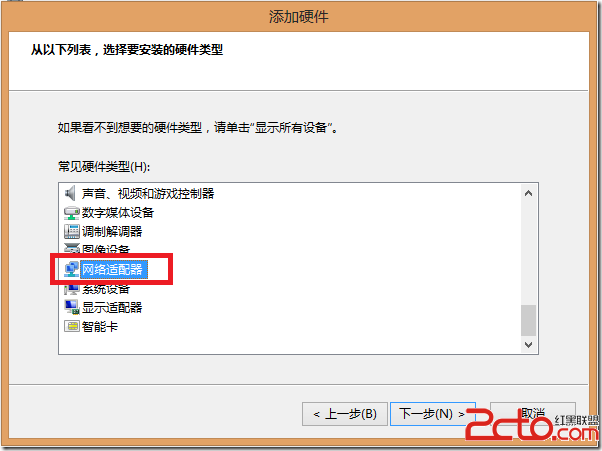
- 「動作」→「新增舊版硬體」→「下一步」→「手動從清單選擇」→「網路介面卡」。
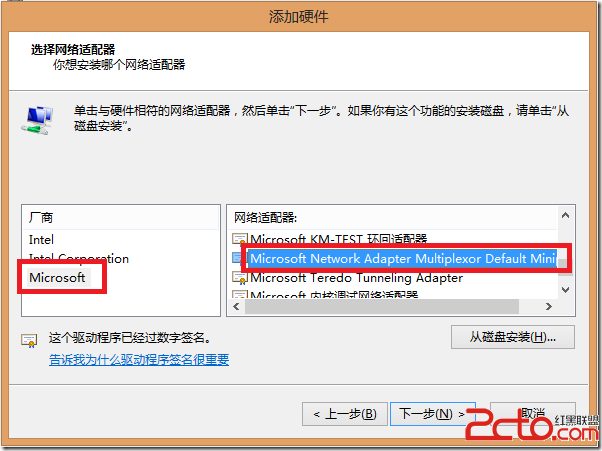
- 製造商選「Microsoft」→ 右側選「Microsoft KM-TEST Loopback Adapter」 (或「Microsoft Virtual WiFi Miniport Adapter」) → 下一步安裝。
驗證與啟用
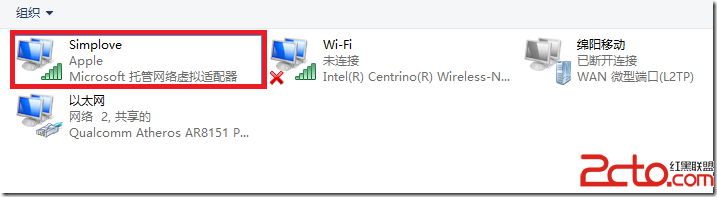
- 「網路連線」中出現新虛擬介面卡即成功。
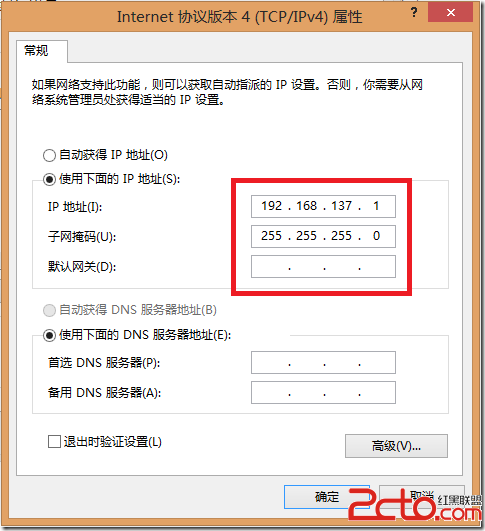
- IP 設定通常自動完成 (DHCP),若失敗可手動指定靜態 IP,但連接裝置將無法自動取得 IP。
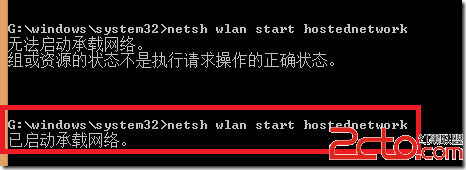
完成後可正常啟用託管網路分享上網。