Win7 內建「建立系統修復光盤」功能,免第三方工具:
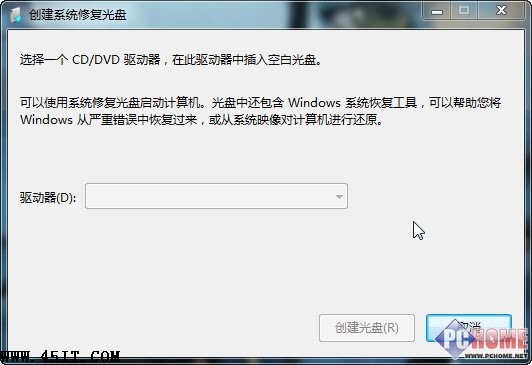
- 準備 CD/DVD 燒錄器 + 空白光碟
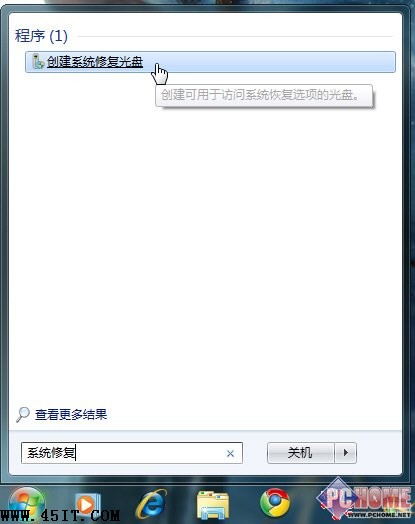
- 開始 → 搜尋「系統修復」 (或「所有程式」→「維護」→「建立系統修復光盤」)
- 選燒錄器 → 「建立光盤」
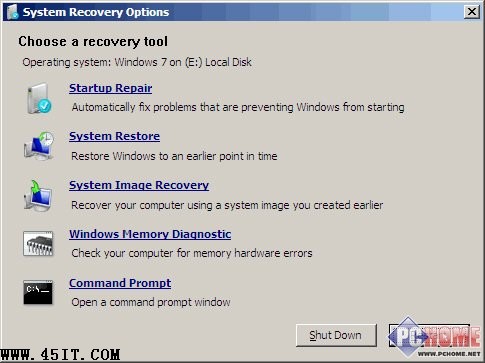
修復光盤功能:
- 啟動修復 — 修復常見開機問題
- 系統還原 — 還原至先前還原點
- 系統映像還原 — 用備份映像還原整碟
- Windows 記憶體診斷 — 檢測記憶體錯誤
- 命令提示字元 — 進階指令操作
建議:裝好系統/常用軟體後即建立映像/還原點,配合修復光盤,災難發生時快速復原,免重灌再裝軟體。