資料夾內檔案清單需列印歸檔,Win7 無內建右鍵功能,需自行加入。
cmd → 切換至目標資料夾(cd /d "路徑")。dir > contents.txt。contents.txt → 列印。Printdir.bat,內容:@echo off dir %1 /-p /o:gn > "%temp%\Listing" start /w notepad /p "%temp%\Listing" del "%temp%\Listing" exit
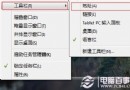
Printdir.bat 複製至 C:\Windows。shell:sendto 開啟「傳送到」資料夾。%windir%\Printdir.bat → 下一步 → 命名「列印目錄清單」→ 完成。資料夾右鍵 → 「傳送到」→ 「列印目錄清單」→ 記事本自動開啟列印對話框 → 確認列印。
dir 參數:/b 純檔名、/s 遞迴子目錄、/o:d 依日期排序。