Windows XP Windows 7 Windows 2003 Windows Vista Windows 綜合教學 Linux 系統教學
Windows 10 Windows 8 Windows 2008 Windows NT Windows Server 電腦軟體教學

修復 Windows 7 工作管理器失效:群組原則與登錄雙管齊下

編輯:Win7 系統基礎知識

Windows 7 工作管理器無法開啟,常見原因為群組原則禁用或病毒修改登錄。兩種修復方案對症下藥,快速恢復功能。

情況一:群組原則誤設(專業版以上)

  1. Win+R → gpedit.msc。
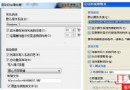
  2. 依序展開:使用者設定 → 管理範本 → 系統 → Ctrl+Alt+Del 選項。
  3. 雙擊「移除工作管理器」 → 設為「已啟用」或「未設定」(預設為未設定即啟用)→ 確定。

情況二:登錄被惡意修改

  1. Win+R → regedit。
  2. 定位:HKEY_CURRENT_USER\Software\Microsoft\Windows\CurrentVersion\Policies\System
  3. 若無 System 機碼則新建。在其下建立/修改 DisableTaskMgr(DWORD 或字串值),數值設為 0(啟用),1 為禁用。
  4. 登出/重開機生效。

前置動作

修復前請先全盤掃毒,排除病毒/木馬持續竄改登錄。若群組原則與登錄皆正常但仍失效,可能為系統檔案損毀,執行 sfc /scannow 修復。

Copyright © Windows教程網 All Rights Reserved