Aero Snap 讓視窗拖至螢幕邊緣即可最大化或佔半螢幕,但有時會干擾習慣將 QQ 等視窗拖至邊緣隱藏的操作。關閉方法:
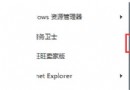
直接將資料夾拖曳到工作列上的「程式庫」圖示,系統提示「釘選到 Windows 檔案總管」後放手,資料夾即固定在右鍵選單頂端。優於桌面捷徑:不佔桌面空間、不被視窗遮擋、可容納更多項目。
Win 7 支援透過 RSS 更新桌面背景。將下列代碼存為 Bing.theme 並雙擊執行,系統即會自動下載近期 Bing 圖片並定時切換(建議將「圖片位置」設為「填滿」以適應螢幕)。
[Theme]
DisplayName=Bing

[Slideshow]
Interval=1800000
Shuffle=1
RssFeed=https://feeds.feedburner.com/bingimages

[ControlPanel\Desktop]
TileWallpaper=0
WallpaperStyle=0
Pattern=

[ControlPanel\Cursors]
; 游標設定略

[VisualStyles]
Path=%SystemRoot%\resources\themes\Aero\Aero.msstyles
ColorStyle=NormalColor
Size=NormalSize
ColorizationColor=0x6B74B8FC
Transparency=1

[MasterThemeSelector]
MTSM=DABJDKT
小提示:若嫌解析度不足,可至微軟官網下載高解析度 Bing 主題包。