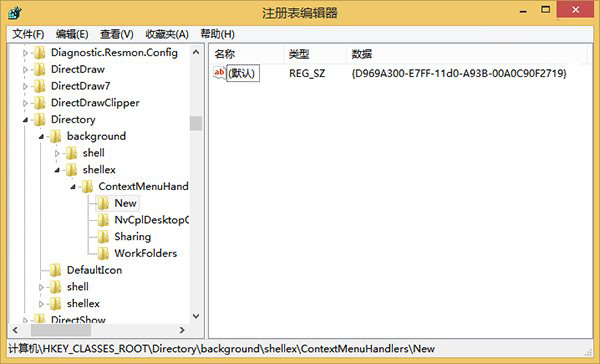
右鍵選單遺失「新增」項目,可透過登錄恢復 HKEY_CLASSES_ROOT\Directory\Background\shellex\ContextMenuHandlers\New 的預設值。
regedit 開啟登錄編輯器(建議先備份)。HKEY_CLASSES_ROOT\Directory\Background\shellex\ContextMenuHandlers\New{D969A300-E7FF-11d0-A93B-00A0C90F2719},若非則修改為此值。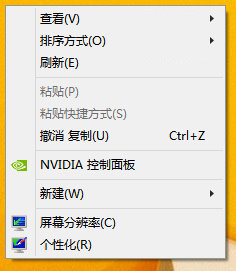
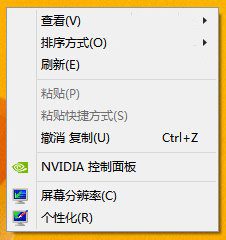
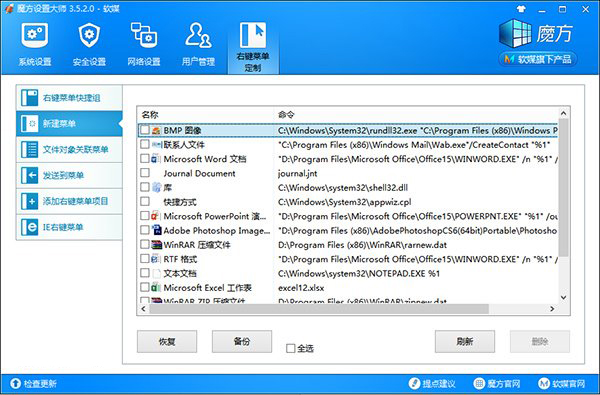
亦可使用魔方設定大師「右鍵選單自訂」功能備份與管理新增選單項目。
Win7 祕密功能雙雄:顯示色彩校正 DCCW、問題步驟記錄器 psr.exe 遠端協助神器
重灌 Win7 不怕丟資料:金山裝機精靈 1 分鐘極速備份 180 項關鍵資料
Windows 7 安全防護十一大守則:預防為主、防毒軟體、定期掃描、更新病毒碼、拒絕可疑附件、郵件安全設定
Win7 解決滑鼠誤觸喚醒與 WMP 視訊加速導致 CPU 100% 兩大優化
Win7 上網本搶先體驗:三款機型螢幕解析度大不同、續航力驚人
FingerTips:打造專屬指尖啟動器,輸入關鍵字秒開程式、資料夾與網頁搜尋