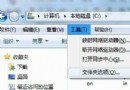
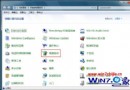
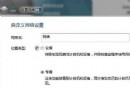
資源管理器中某磁碟(常為 C: 或 D:)圖示變成預設未知檔案圖示,因根目錄有 autorun.inf 干擾。修復:
autorun.inf
Win7 32 位元 CMD 提示找不到 *.Vxd 檔案?註冊表刪除殘留啟動項解決開機錯誤訊息
解決 Win7 開機「Group Policy Client 服務未能登入」錯誤:安全模式修改登錄權限
Win7 5.1 聲道設定圖文教學
Windows 7 關閉通知仍彈窗?徹底屏蔽系統訊息的隱藏設定
Office 2003 能在 Win7 執行嗎?實測完美相容無壓力
Win7 多條件自然語言搜尋:AND/OR 組合輕鬆找回檔案
Win7 旗艦版如何清除索引記錄檔案釋放 C 槽空間?刪除 Windows.edb 或備份還原資料夾
不常用≠沒用:Win7 易被忽略的四大實用隱藏功能