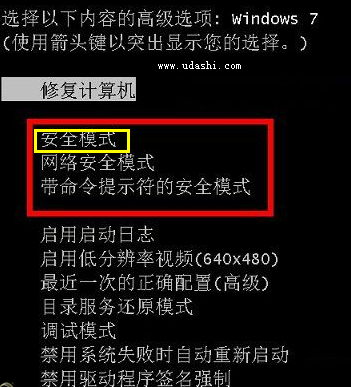
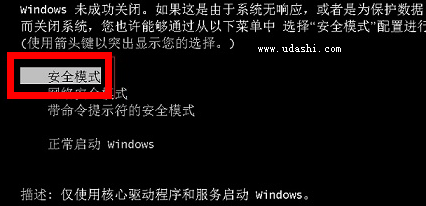
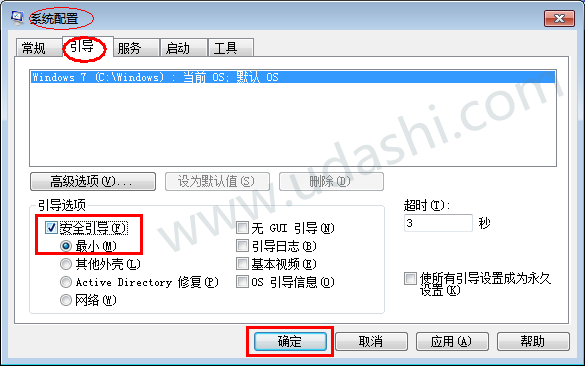
安全模式可刪除頑固檔案、殺毒、移除錯誤驅動。三種進入方式:
msconfig
86.5 元拿正版 Windows 7 光盤事件小結:聯想 ThinkPad 專屬優惠
Win7 虛擬 WiFi 熱點全攻略:把筆電變無線路由器共享上網
濫用優化大師導致 Win7 選單列無法隱藏?拒絕盲目優化還原預設行為
網友實話:Win 7 其實一點也不好 改變操作習慣、相容性差、細節郁悶
群組原則 + 家長控制:Windows 7 限制遊戲與電腦使用時間
Windows 7 開機藍畫面 0x000000F4 排查與解決指南
Windows 7 全新遊戲管理器:供應商分類、自動更新、遊戲統計一站式體驗
Win7 更改與刪除無效磁碟機代號:虛擬光碟機代號清理教學