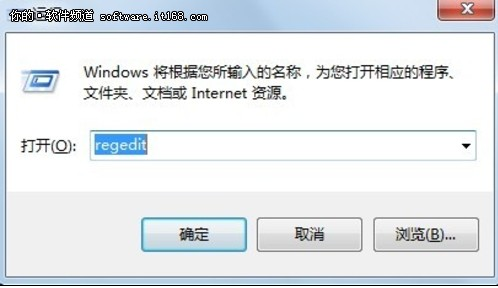
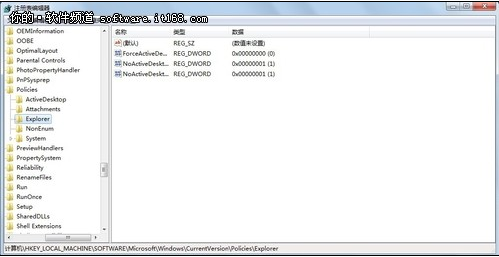
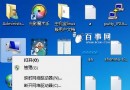
Windows 7 內建 Away Mode(離開模式):螢幕關閉、系統看似待機,實則繼續執行下載、錄影等背景工作。啟用方法:
regedit
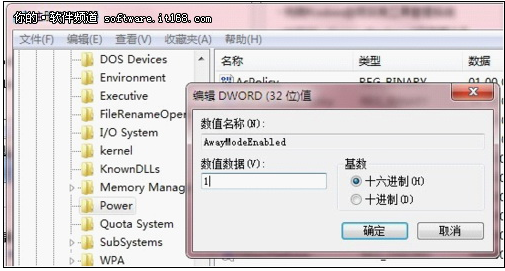
HKEY_LOCAL_MACHINE\SYSTEM\CurrentControlSet\Control\Session Manager\Power
AwayModeEnabled
1
若需停用,刪除該值即可。此功能可替代付費「離線下載」服務,省錢又實用。
Win7 IE 瀏覽器出現「僅顯示安全內容」提示的解決辦法
Win7 區域網路印表機共享完整設定:Guest 帳號、共用權限、進階共用、工作群組、用戶端加入
Win7 設定無線網路自動連線或取消自動連線
Win7 工作列資源管理器預設開啟「電腦」而非「程式庫」
Win7 網路橋接設定教學:雙網卡筆電共享有線網路給多台電腦
Win7 超級列預覽縮圖:滑鼠懸停即看 IE 分頁、Word 文件、Excel 試算表內容
Windows 7 磁碟管理建立虛擬硬碟 (VHD) 完整教學
Win7 系統登入畫面無 Administrator 選項?電腦管理啟用內建管理員帳號解決