Windows XP Windows 7 Windows 2003 Windows Vista Windows 綜合教學 Linux 系統教學
Windows 10 Windows 8 Windows 2008 Windows NT Windows Server 電腦軟體教學
您现在的位置: Windows教程網 >> Windows教程 >  >> 電腦軟體教學 >> 電腦軟體介紹

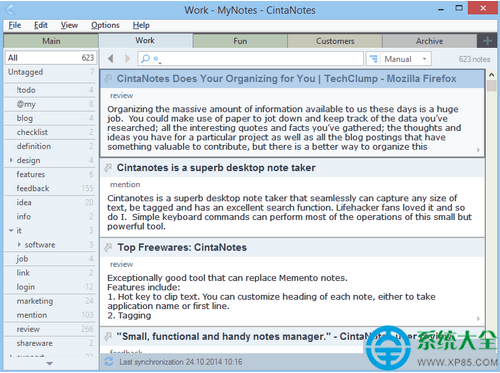
CintaNotes 鍵盤快捷鍵大全 全系統/主窗口/編輯/標籤/搜索/同步完整對照表

編輯:電腦軟體介紹

CintaNotes 完整快捷鍵對照表:

全系統熱鍵(可配置)

  • Ctrl+F12:捕捉活動應用選中文本為新筆記,視窗標題作標題
  • Ctrl+Alt+F12:激活 CintaNotes 視窗
  • Ctrl+Shift+F12:新建筆記並開啟編輯器

主窗口

  • Ins / Ctrl+N:新建筆記
  • F1:幫助
  • Esc:清除過濾/最小化
  • Ctrl+Tab / Ctrl+Shift+Tab:切換區段
  • Ctrl+1..0:切換區段#1..#10
  • Ctrl+Shift+1..0:增刪區段
  • Ctrl+Shift+Space:全選/重置區段
  • Ctrl+I:切換「收件箱」狀態
  • Ctrl+Shift+Ins:新建區段
  • Ctrl+Shift+Del:刪除區段
  • Ctrl+Shift+Alt+Left/Right:移動區段
  • Alt+Shift+D/M/T/S/U:按建立/修改/標題/大小/手動排序
  • Ctrl+U:顯示未標記筆記
  • Shift+Esc:最小化(保留過濾)
  • F12:Simplenote 同步啟動/取消

掌握熱鍵,筆記管理效率大增。

Copyright © Windows教程網 All Rights Reserved