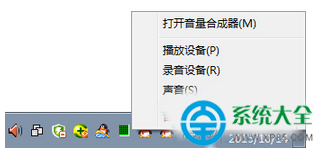
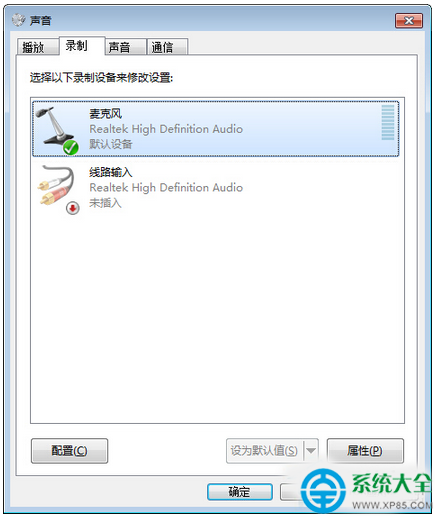
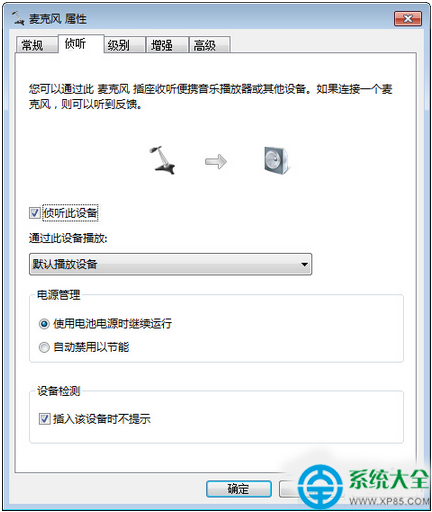
開啟後可在講話時通過音箱聽到自己聲音(如K歌效果),關閉則只能輸入無法監聽。也可用於測試話筒是否有效。
《LOL》PBE 9.10測試服更新:四大戰隊徽章上線、寡婦/船長/蠍子E技能調整詳解
Siri 是什麼?蘋果語音助理完整解析:功能、中文支援、對比 Google Voice Actions
手游模擬神器夜神模擬器進入全面公測:Android 4.4.2 內核、多開不卡、VT 加速性能超同類 50%+、兼容 AMD/x86
Android 僅充電無法連線電腦解決:安裝豌豆莢+開啟 USB 偵錯+重裝 ADB 驅動
《方舟:生存進化》養雞場(渡渡鳥蛋場)建造全流程:4x4木基+圍牆、翼龍抓雞投餵、黑果/紫果馴服、興奮劑催產、鳥糞種田一體化