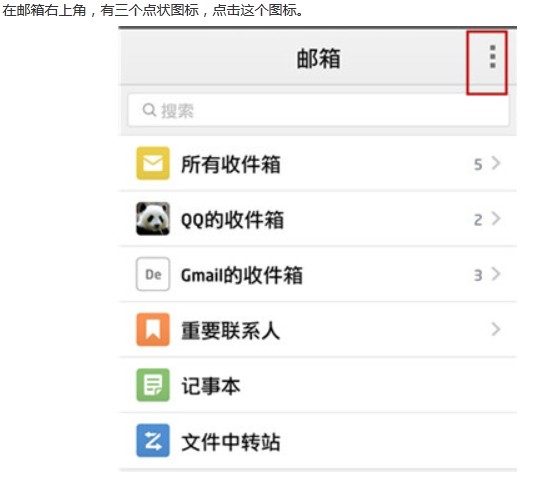
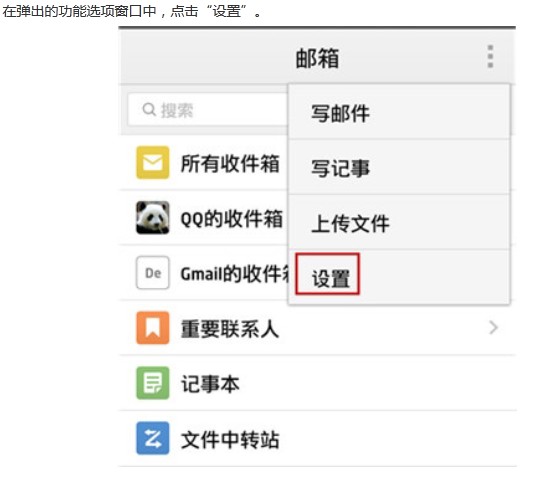
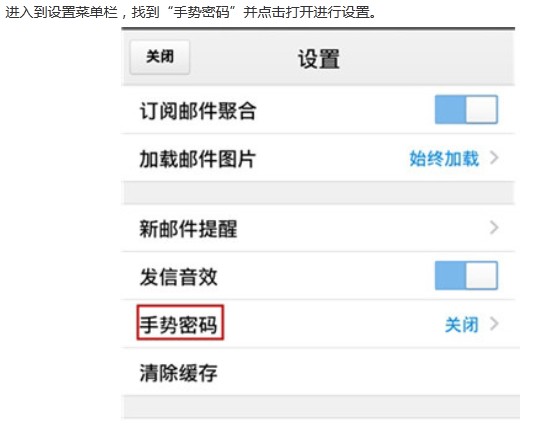
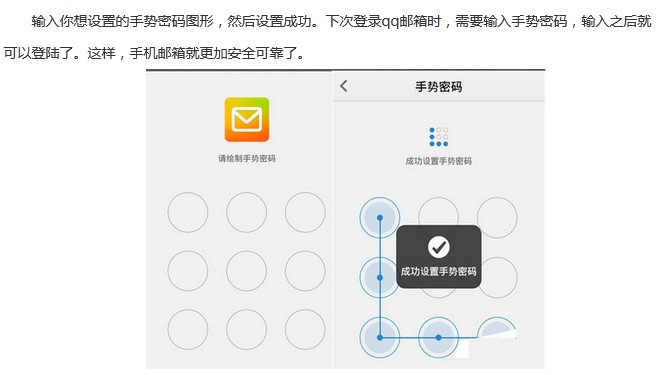
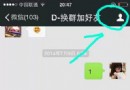
QQ 郵箱為手機用戶提供手勢密碼功能,有效防止他人隨意查看郵件。操作步驟:
若需關閉,同路徑點擊「關閉」即可。保護隱私,從一個手勢開始。
QQ 音樂均衡器調教指南:依曲風選預設、自訂參數、音量別超 80%
IE 瀏覽器無法在新分頁/視窗開啟連結?重新註冊 DLL 解決
Network Recycle Bin 為區域網加裝回收站:誤刪共享檔案一鍵還原
HTC 官方解鎖問題解析:S-ON 狀態下刷機、OTA、Recovery、Root 完整 FAQ
QQ輸入法自定義短語:一鍵輸入 HTML 代碼片段
AutoCAD 2012 官方簡體中文版激活圖文教程(含註冊機)
PPT 2007 嵌入影片雙法:直接插入法 vs Windows Media Player 控制項法
iOS 8 越獄優化神器 iCleaner:關閉無用啟動項騰出 1GB、系統秒響應