Windows XP Windows 7 Windows 2003 Windows Vista Windows 綜合教學 Linux 系統教學
Windows 10 Windows 8 Windows 2008 Windows NT Windows Server 電腦軟體教學
您现在的位置: Windows教程網 >> Windows教程 >  >> 電腦軟體教學 >> 電腦軟體介紹

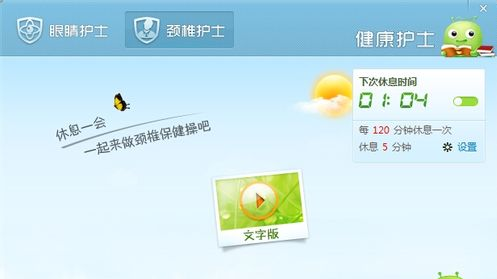
360 健康精靈:護眼護頸定時提醒設定教學

編輯:電腦軟體介紹

360 健康精靈功能介紹

長時間面對電腦易傷眼、傷頸,360 安全衛士內建「健康精靈」(安仔),提供護眼、護頸提醒與定時關機等功能。

啟用與設定

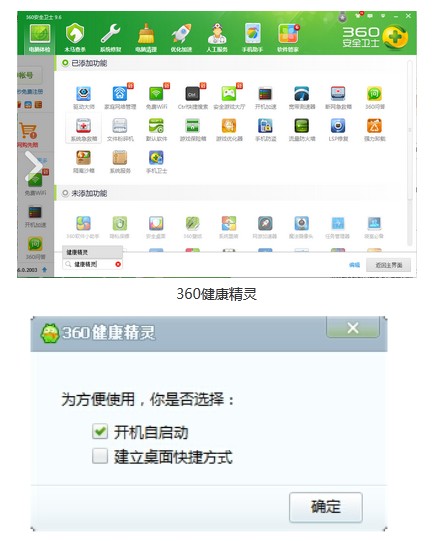
  1. 開啟 360 安全衛士,依介面提示載入健康精靈,建議勾選「開機自動啟動」。
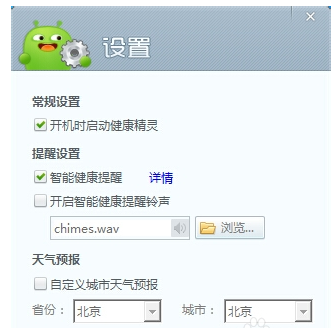
  2. 桌面出現安仔圖示,右鍵選單進入「設定」。
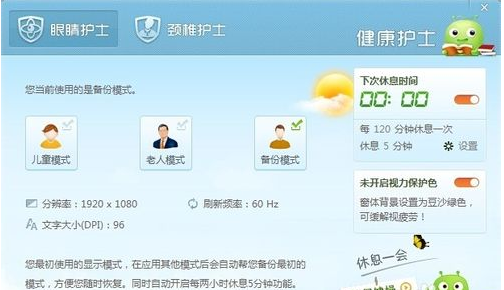
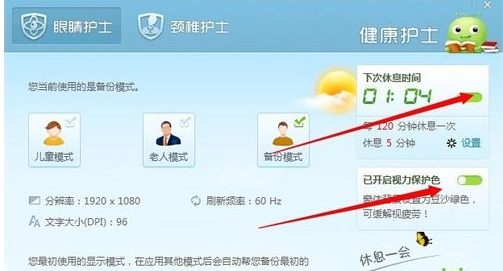
  3. 選擇「健康護士」→「眼睛護士」:設定工作幾分鐘提醒休息、調整背景色、內建眼保健操。
  4. 選擇「頸椎護士」:依提示做頸椎伸展動作。
  5. 另有「定時提醒」與「定時關機」小工具可自行啟用。

特色

  • 介面可愛,操作簡單,不拖慢開機速度。
  • 多種健康提醒模式,貼心守護上班族身體。
Copyright © Windows教程網 All Rights Reserved