本文記錄 Windows 2000/2003/XP 環境下 IIS、PHP 4.4.0/5.1.2、MySQL 4.0.26/4.1.16/5.0.18、Zend Optimizer 2.6.2、GD 庫、phpMyAdmin 2.8.0.3 的完整安裝配置流程。雖版本較早,但配置邏輯對理解 PHP ISAPI 模式部署仍有參考價值。
為便於備份遷移,建議將所有 PHP 相關軟件安裝至非系統盤(如 D:\php\):
D:\php\php4\ - PHP 4.4.0 解壓目錄D:\php\php5\ - PHP 5.1.2 解壓目錄D:\php\tmp\ - 上傳/Session 臨時目錄(需讀寫權限)php.ini-dist 為 php.ini 至系統目錄(C:\Windows 或 C:\WINNT)register_globals = On(兼容舊代碼,生產環境建議 Off)extension_dir = "D:/php/php4/extensions/" (PHP 5: D:/php/php5/ext/)upload_tmp_dir = D:/php/tmp(取消註釋,指定臨時目錄)session.save_path = D:/php/tmp(取消註釋);):
php_gd2.dll (GD庫)、php_mbstring.dll、php_mysql.dllphp_curl.dll、php_ldap.dll、php_zip.dll 等max_execution_time = 300
max_input_time = 600
memory_limit = 64M
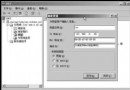
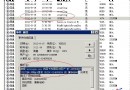
upload_max_filesize = 20MPHPD:\php\php4\sapi\php4isapi.dll (PHP 5: D:\php\php5\php5isapi.dll).php (可追加 .php3 .phtml .php5 等)GET,HEAD,POST,TRACEindex.php 並置頂net stop w3svc && net stop iisadmin && net start w3svcWeb 根目錄創建 php.php:
<?php phpinfo(); ?>瀏覽器訪問 https://localhost/php.php,確認 Server API 顯示 ISAPI,GD、MySQL、Zend Optimizer 等擴展載入正常。
php.ini 路徑自動配置phpmyadmin),配置 config.inc.php 設置 $cfg['Servers'][$i]['host'] = 'localhost'、認證模式 cookie 或 config註:本文基於 2006 年技術環境。現代生產環境強烈建議使用 PHP 8.x、MySQL 8.0、PHP-FPM (FastCGI) 替代 ISAPI、IIS 10+、啟用 HTTPS、配置 OpenSSL、使用 Composer 管理依賴。