iconv -f 原始編碼 -t 目標編碼 輸入檔 -o 輸出檔
# 或使用重導向
iconv -f 原始編碼 -t 目標編碼 輸入檔 > 輸出檔
-f (--from-code):來源編碼-t (--to-code):目標編碼iconv -liconv -f GB2312 -t BIG5 foo.txt > foo1.txticonv -f BIG5 -t GB2312 foo.txt > foo2.txticonv -f GB2312 -t UTF-8 foo.txt > foo3.txticonv -f UTF-8 -t GB2312 foo.txt > foo4.txt*.txt 為 GB2312,需全數轉為 BIG5,副檔名加 .big5#!/bin/bash
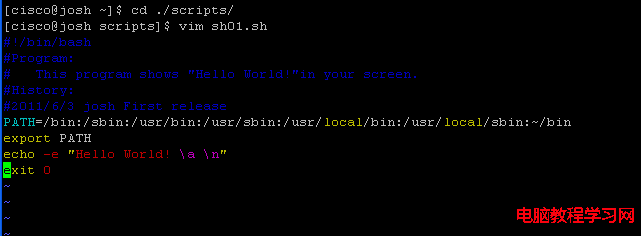
# 檔名:gb2312_to_big5.sh
for file in *.txt; do
if [[ -f "$file" ]]; then
iconv -f GB2312 -t BIG5 "$file" > "${file}.big5"
echo "Converted: $file -> ${file}.big5"
fi
done執行:
chmod +x gb2312_to_big5.sh
./gb2312_to_big5.sh#!/bin/bash
# 遞迴轉換,輸出至對應目錄下的 converted/ 資料夾
SRC_ENC="GB2312"
DST_ENC="BIG5"
find . -type f -name "*.txt" | while IFS= read -r file; do
outdir="converted/$(dirname "$file")"
mkdir -p "$outdir"
outfile="$outdir/$(basename "$file")"
if iconv -f "$SRC_ENC" -t "$DST_ENC" "$file" > "$outfile" 2>/dev/null; then
echo "OK: $file"
else
echo "FAIL: $file" >&2
fi
donefile -i filename 或 enca filename(需安裝)輔助判斷。sed -i '1s/^\xEF\xBB\xBF//' 移除。-c 參數自動略過:iconv -c -f GB2312 -t UTF-8 ...//TRANSLIT 近似轉換:目標編碼無對應字元時嘗試近似字元(如重音字母轉純字母):iconv -f UTF-8 -t ASCII//TRANSLIT ...enca:自動偵測並轉換編碼(enca -L zh_CN -x UTF-8 *.txt)convmv:檔案名稱編碼轉換(而非內容):set fileencoding=utf-8)、VS Code(右下角編碼切換)