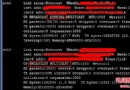
BIND DNS 服務啟動失敗,日志提示 couldn't open pid file '/var/run/named/named.pid': Permission denied。根因是 /var/run/named 目錄所有權不正確,修復極簡單。
[root@localhost etc]# named -g
...
Jun 13 11:18:01.250 couldn't open pid file '/var/run/named/named.pid': Permission denied
Jun 13 11:18:01.250 exiting (due to early fatal error)
named 進程以 named 用戶運行,需對 PID 文件目錄有寫入權限。目錄所有權若為 root:root,則 named 用戶無法創建 named.pid。
# 將目錄所有權授予 named 用戶
chown named:root /var/run/named

# 啟動服務驗證
service named start
ls -ld /var/run/named,不存在則 mkdir -p /var/run/named && chown named:root /var/run/named。restorecon -Rv /var/run/named。/etc/named.conf 中 options { pid-file "/var/run/named/named.pid"; }; 路徑一致。binding TCP socket: address in use 表明 53 端口被佔用,需 netstat -tulpn | grep :53 排查。systemctl start named(CentOS 7+)或 service named start(CentOS 6)管理服務,避免直接執行 named -g。/etc/named.conf 與區域文件。rndc 管理工具,實現熱加載配置。