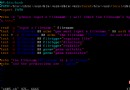
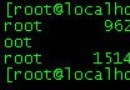
重啟 Apache 時遇到 Cannot load /usr/local/apache/modules/libphp5.so: cannot restore segment prot after reloc: Permission denied,根因通常是 SELinux 安全策略阻止了共享庫的內存映射權限。
vi /etc/selinux/config
# 將 SELINUX=enforcing 改為 SELINUX=disabled
rebootsetenforce 0 # 臨時切許可模式
chcon -c -v -R -u system_u -r object_r -t textrel_shlib_t /usr/local/apache/modules/libphp5.so
service httpd restart # 驗證啟動
setenforce 1 # 恢復強制模式核心說明:chcon 將庫文件的安全上下文類型改為 textrel_shlib_t,允許共享庫在需要文本重定位時修改代碼段,從而通過 SELinux 檢查。此法精準解決問題,避免完全關閉 SELinux 降低系統安全性。