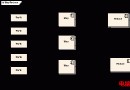
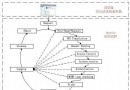
Vim 進入模式與游標移動
| 指令 | 功能 |
|---|
| vi file | 開啟/新建檔案 |
| vi +n file | 跳到第 n 行 |
| vi +/pattern file | 跳到首個匹配處 |
| h/j/k/l | 左/下/上/右 |
| w/b/e | 下一詞首/上一詞首/詞尾 |
| 0/$ | 行首/行尾 |
| gg/G | 檔案首/尾 |
| Ctrl+u/d/f/b | 半頁/半頁/全頁向上/向下翻 |
編輯與搜尋替換
i/I/a/A/o/O    # 插入模式進入點
r/R            # 取代單字符/進入取代模式
/pattern       # 向下搜尋
?pattern       # 向上搜尋
n/N            # 同向/反向重複搜尋
:s/old/new/g   # 當前行全域替換
:%s/old/new/g  # 全檔全域替換
ctags 產生標籤檔
cd /path/to/source
ctags -R                      # 遞迴產生 tags
# Vim 中
:tag func_name                # 跳轉到定義
Ctrl+]                        # 游標上關鍵字跳轉
Ctrl+t                        # 返回上一跳轉位置
:Tlist                        # 開啟 Taglist 面板(需安裝 taglist.vim)
cscope 更強大的程式碼交叉引用
cscope -Rbkq                  # 產生 cscope.out / .in.out / .po.out
# 參數:R 遞迴、b 只建索引、k 忽略 /usr/include、q 快速索引
# Vim 中載入
:cs add cscope.out
# 查詢介面
:cs find s symbol   # 找符號出現處
:cs find g symbol   # 找全域定義(類 ctags)
:cs find d symbol   # 找被該函數呼叫的函數
:cs find c symbol   # 找呼叫該函數的函數
:cs find t text     # 找字串
:cs find e pattern  # egrep 模式
:cs find f file     # 開啟檔案
:cs find i file     # 找包含該檔的檔案
常用 Vim 設定
set number            # 顯示行號
set ignorecase        # 搜尋忽略大小寫
set smartcase         # 有大寫則區分大小寫
set hlsearch          # 高亮搜尋結果
set tabstop=4 shiftwidth=4 expandtab  # 縮排 4 空格
set autoindent
set mouse=a           # 支援滑鼠
syntax on             # 語法高亮
filetype plugin indent on
外掛推薦
- NERDTree:檔案樹側邊欄
- tagbar:右側大綱(類別/函數/變數)
- YouCompleteMe:語意級補全
- vim-fugitive:Git 整合
- ale:非同步語法檢查/Lint