遺失 Root 密碼時,透過 GRUB 進入單用戶模式(Single User Mode / Emergency Mode)即可無舊密碼重置。本文以 CentOS 7 / RHEL 7 為例,提供完整圖文步驟。
開機時於 GRUB 計數器歸零前按任意鍵(通常是 ↑/↓ 或 Space),停在選單畫面。
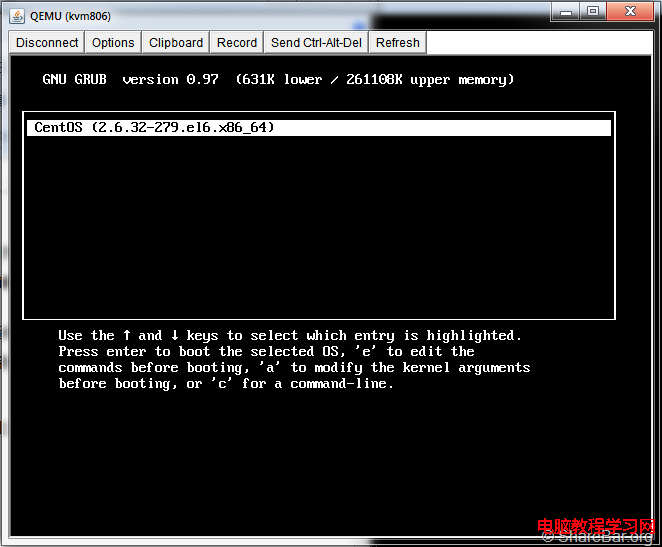
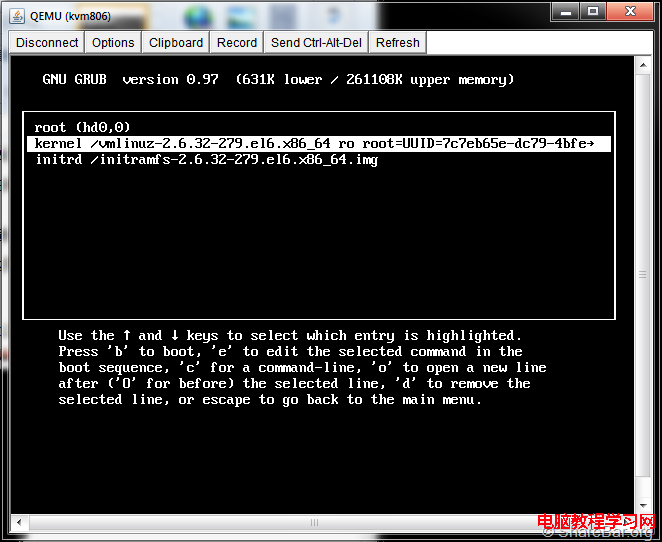
linux16 / linuxefi 開頭的那一行(kernel 命令列)。 rd.break(CentOS 7/RHEL 7)或 single / init=/bin/bash(CentOS 6)。linux16 /vmlinuz-3.10.0-1160.el7.x86_64 root=/dev/mapper/centos-root ro crashkernel=auto rd.lvm.lv=centos/root rd.lvm.lv=centos/swap rhgb quiet rd.break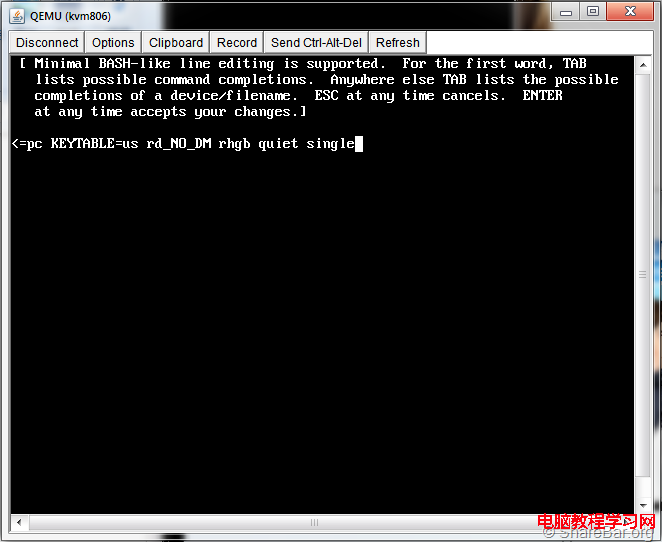
/sysroot 並進入 sh 提示符。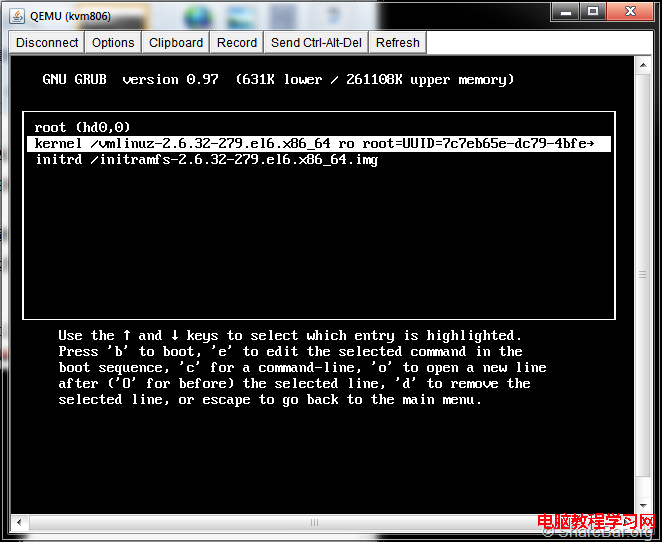
# mount -o remount,rw /sysroot# chroot /sysroot
# passwd root
Changing password for user root.
New password:
Retype new password:
passwd: all authentication tokens updated successfully.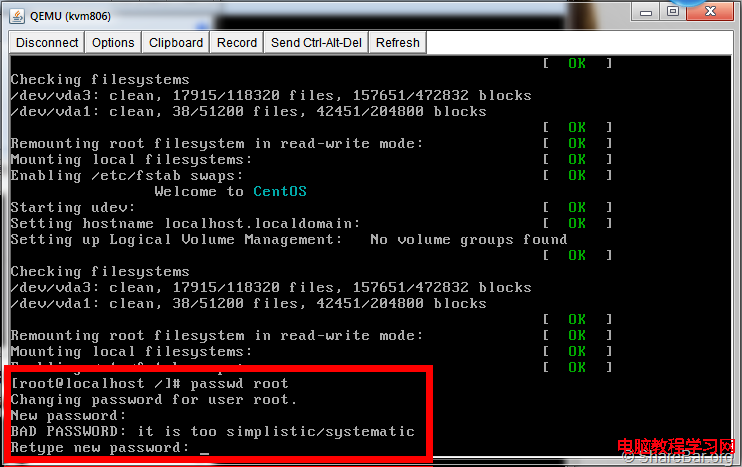
因在 chroot 外修改 /etc/shadow,SELinux 上下文會錯誤,必須:
# touch /.autorelabel
# exit          # 離開 chroot
# exit # 離開 emergency shell,系統將自動重新標籤並重啟重啟過程中會跑 SELinux relabeling,耗時視磁碟大小而定(通常 1-5 分鐘),完成後即可用新密碼登入。
# GRUB 選單按 e 編輯 kernel 行
# 行末加 single 或 1
# 按 b 啟動
# 進入單用戶模式後:
mount -o remount,rw /
passwd root
touch /.autorelabel
reboot| 問題 | 原因 | 解決 |
|---|---|---|
| 改完密碼登入仍失敗 | SELinux 標籤錯誤 | 務必 touch /.autorelabel 並等待重啟完成 |
| 進入 emergency shell 但無 /sysroot | LVM/RAID 未啟動 | 手動 vgchange -ay、mount /dev/mapper/... /sysroot |
| 雲端主機無法進 GRUB | 主控台不同 | 使用 VNC 主控台、或透過救援模式 ISO 掛載磁碟修改 |
| 忘記加 rd.break 直接啟動 | 正常多用戶模式 | 重啟再試一次 |
GRUB_PASSWORD 加密保護開機選單、BIOS/UEFI 設定密碼、機櫃上鎖。單用戶模式重置密碼是 Linux 系統管理員必備技能。記住 rd.break → remount rw → chroot → passwd → /.autorelabel → reboot 七步曲,關鍵在 SELinux 重標籤,否則新密碼雖設定成功卻無法登入。