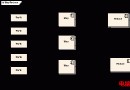
從按下電源鍵到登入提示符,Linux 經歷固韌體、引導載入器、核心、init 系統四大階段。本文聚焦 MBR/GPT 分區結構、GRUB 兩階段引導流程,並提供 MBR 備份恢復實操指令。
+---------------------+  ← 磁區 0 (LBA 0)
| MBR (512 bytes)     |
|  ├─ Boot Loader (444 bytes)  ← GRUB Stage 1
|  ├─ Partition Table (64 bytes)  ← 最多 4 個主分區
|  └─ Magic Number (2 bytes)  ← 0xAA55
+---------------------+
| Partition 1 (boot)  |
| Partition 2 (root)  |
| Partition 3 (swap)  |
| Partition 4 (home)  |
+---------------------+# 備份(假設 /dev/sda 為啟動磁碟)
dd if=/dev/sda of=/root/mbr_backup.bin bs=512 count=1
# 或可讀格式
dd if=/dev/sda bs=512 count=1 | od -Ax -tx1z -v > /root/mbr_hex.txt
# 還原(極度謹慎,確認磁碟無誤)
dd if=/root/mbr_backup.bin of=/dev/sda bs=512 count=1/boot/grub 目錄/sbin/init (systemd/OpenRC/SysVinit)| 檔案 | 用途 |
|---|---|
/boot/grub/grub.cfg | 主配置(由 grub-mkconfig 自動生成,勿手改) |
/etc/default/grub | 使用者設定(預設啟動項、超時、核心參數) |
/etc/grub.d/ | 腳本目錄(偵測 OS、主題、自訂選單) |
# 重新生成 grub.cfg
grub-mkconfig -o /boot/grub/grub.cfg
# 或
update-grub

# 安裝 GRUB 至磁碟
grub-install /dev/sda

# 修改預設啟動核心
grub-set-default "Advanced options for Ubuntu>Ubuntu, with Linux 6.5.0-18-generic"

# 臨時編輯啟動參數(啟動選單按 e)
# 永久修改:編輯 /etc/default/grub → GRUB_CMDLINE_LINUX_DEFAULT → update-grubEFI/BOOT/BOOTX64.EFI 或 EFI/ubuntu/grubx64.efiefibootmgr 管理啟動項# Live USB 進入後
mkdir /mnt/sys
mount /dev/sda2 /mnt/sys # 根分區
mount /dev/sda1 /mnt/sys/boot # /boot 分區(如有)
mount --bind /dev /mnt/sys/dev
mount --bind /proc /mnt/sys/proc
mount --bind /sys /mnt/sys/sys
chroot /mnt/sys
# 修復 GRUB
grub-install /dev/sda
update-grub
exit
reboot理解啟動流程是排除「開機進不去」恐慌的解藥。MBR 備份、GRUB 重裝、chroot 救援,三板斧打通生死關。