./autogen.sh: 4: autoreconf: not found
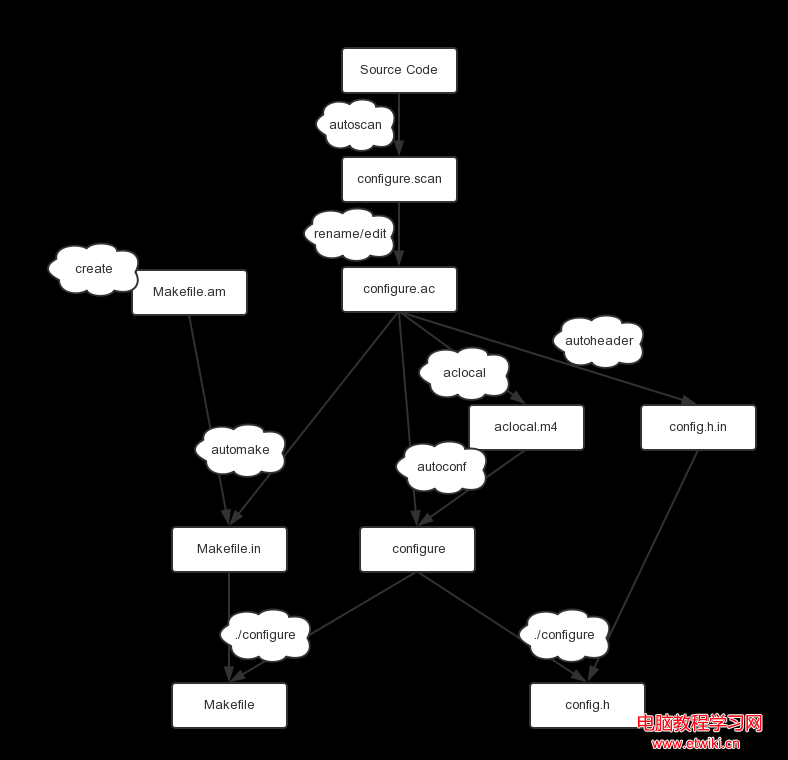
解決: 安裝 GNU Autotools 完整套件:
sudo apt-get install autoconf automake libtool
ts_test.o: undefined reference to `rpl_malloc'
fbutils.o: undefined reference to `rpl_malloc'
collect2: ld returned 1 exit status
原因: configure 未正確偵測目標平台 malloc 行為,導致引用 GNU 替代函式 rpl_malloc 但未連結對應物件。
解決: 重新執行 configure 並明確指定 ac_cv_func_malloc_0_nonnull=yes:
./configure --prefix=/usr/local/tslib/ --host=arm-linux ac_cv_func_malloc_0_nonnull=yes
tar xzvf tslib-1.4.tar.gz && cd tslib-1.4./autogen.sh (產生 configure)./configure --prefix=/usr/local/tslib/ --host=arm-linux ac_cv_func_malloc_0_nonnull=yesmakesudo make install--host=arm-linux 指定交叉編譯工具鏈前綴 (需已安裝 arm-linux-gcc 等)。ac_cv_func_malloc_0_nonnull=yes 告訴 configure 目標平台 malloc(0) 回傳非 NULL,避免引用 rpl_malloc。config.log 確認編譯器測試結果,必要時手動編輯 config.h 定義 HAVE_MALLOC 1、取消 HAVE_RPL_MALLOC。