發行版預設內核為了相容性包含大量驅動與功能,導致體積龐大、開機慢、佔用記憶體。依實際硬體精簡內核可:
CONFIG_MCORE2、CONFIG_MK8)。M),按需載入。mkbootdisk --verbose --device /dev/sdX $(uname -r)。cd /usr/src/linux # 或解壓內核源碼至任意目錄
make mrproper # 清理舊配置
兩種配置介面:
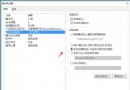
make menuconfig:文字介面(NCurses),適合 SSH/終端機。make xconfig:圖形介面 (Qt),需 X Window,操作直觀。本文以 xconfig 為例。
M 或 N。*(內建),RAID 卡、SCSI 若無硬體設 N。* 內建。M 模組化。生產環境建議關閉 DEBUG_KERNEL、DEBUG_INFO 等除錯選項,減少體積與效能損耗。
選項三態:Y(*)=內建、M=模組、N=不編譯。
原則:開機必須(根檔案系統、啟動裝置驅動、CPU 核心)設 Y;其餘盡量 M。
make bzImage               # 編譯內核映像 (約 10-30 分鐘視 CPU)
make modules               # 編譯模組
make modules_install       # 安裝模組至 /lib/modules/$(uname -r)
若報錯,回頭檢查相依選項(xconfig 會自動提示相依)。
cp arch/x86/boot/bzImage /boot/vmlinuz-$(uname -r)-custom
cp System.map /boot/System.map-$(uname -r)-custom
cp .config /boot/config-$(uname -r)-custom
grub2-mkconfig -o /boot/grub2/grub.cfg
# 或手動編輯 /etc/grub.d/40_custom 加入新選單項
舊版 GRUB (Legacy) 編輯 /boot/grub/grub.conf 新增 title/kernel/initrd 項。
若根分區驅動、檔案系統模組化,必須重建 initramfs:
dracut -f /boot/initramfs-$(uname -r)-custom.img $(uname -r)-custom
# 或 mkinitrd (舊版)
uname -r 確認版本;dmesg | grep -i error 檢查錯誤。| 現象 | 可能原因 | 對策 |
|---|---|---|
| Kernel panic: VFS: Unable to mount root fs | 根分區驅動/檔案系統未內建,或 initramfs 缺失 | 設為 Y 內建,或重建 initramfs 包含對應模組 |
| 鍵盤/滑鼠無反應 | USB HID / 輸入子系統未啟用 | Device Drivers → Input device support → Keyboard/Mouse 設 Y |
| 網卡不見 | 對應驅動未編譯 | lspci -k 確認驅動名稱,設 Y 或 M 並載入 |
| 模組載入失敗: Unknown symbol | 內核配置改變導致符號不匹配 | 完整重新編譯 make clean && make |
內核定製是 Linux 系統調優的核心技能。建議流程:硬體清單 → 最小配置 → 測試 → 逐步加入功能。保留舊內核作為回滾基準,善用 make olddefconfig 升級新版源碼時保留既有配置。