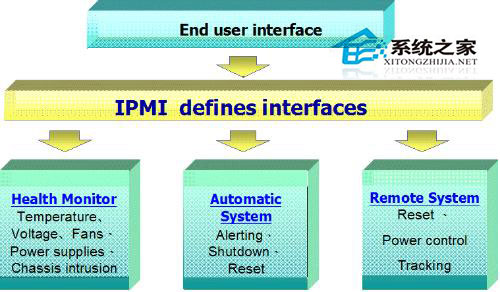
IPMI(Intelligent Platform Management Interface) 是伺服器硬體級管理介面,可在作業系統離線、關機狀態下遠端監控硬體狀態、電源控制、KVM over IP 等。本文說明在 Linux 以 ipmitool 指令列配置 IPMI LAN 參數。
service ipmi start
# 或 systemctl start ipmi
# 設定 IP 來源:static 或 dhcp
ipmitool lan set 1 ipsrc static

# 設定靜態 IP
ipmitool lan set 1 ipaddr 192.168.1.2

# 設定子網路遮罩
ipmitool lan set 1 netmask 255.255.255.0

# 設定預設閘道
ipmitool lan set 1 defgw 192.168.1.254
ipmitool lan print 1
# 輸出包含 IP Address, Subnet Mask, Default Gateway, MAC Address 等
ipmitool lan set 3 access off
| 指令 | 功能 |
|---|---|
ipmitool chassis status | 查看電源狀態 |
ipmitool chassis power on/off/reset | 遠端開/關/重啟機 |
ipmitool sensor list | 列出所有感測器數值(溫度、風扇、電壓) |
ipmitool sel list | 查看系統事件日誌 (SEL) |
ipmitool user list 1 | 列出 Channel 1 使用者帳號 |
ipmitool user set password 2 <新密碼> | 修改使用者 2 密碼 |
#!/bin/bash
# configure_ipmi.sh
IP="192.168.10.100"
MASK="255.255.255.0"
GW="192.168.10.1"
CH=1

service ipmi start
ipmitool lan set $CH ipsrc static
ipmitool lan set $CH ipaddr $IP
ipmitool lan set $CH netmask $MASK
ipmitool lan set $CH defgw $GW
ipmitool lan print $CH
透過 ipmitool 可將 IPMI 配置納入自動化部署流程(Ansible、Kickstart、PXE 後安裝腳本),實現伺服器上架即管理的基礎設施即代碼(IaC)模式。