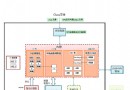
Tmux(Terminal Multiplexer)是終端複用器,能在單一 SSH 連接中管理多個窗口、面板,支持會話斷開後進程保活、隨時恢復現場。對比 Screen,Tmux 更現代、腳本友好、插件生態豐富。本文涵蓋安裝、核心概念、常用快捷鍵、配置優化、團隊協作場景。

# Ubuntu / Debian
apt update && apt install -y tmux

# CentOS / RHEL 7/8
yum install -y tmux
# 或 epel-release

# macOS (Homebrew)
brew install tmux

# 源碼編譯(獲取最新版)
# git clone https://github.com/tmux/tmux.git
# cd tmux && sh autogen.sh && ./configure && make && sudo make install
detach 斷開並後台運行,後續 attach 恢復。關係:1 Session → N Windows → M Panes
| 操作 | 命令 / 快捷鍵 | 說明 | |
|---|---|---|---|
| 新建會話 | tmux new -s mysession | -s 指定名稱,便於後續 attach | |
| 列出會話 | tmux ls | ||
| 附著最近會話 | tmux attach 或 tmux a | ||
| 附著指定會話 | tmux attach -t mysession | ||
| 斷開會話 | Ctrl+b d | 前綴鍵 Ctrl+b 後按 d | |
| 殺死會話 | tmux kill-session -t mysession | ||
| 殺死所有會話 | tmux kill-server |
| 操作 | 快捷鍵 |
|---|---|
| 新建窗口 | c |
| 切換下一個窗口 | n |
| 切換上一個窗口 | p |
| 按編號切換 (0-9) | 0~9 |
| 重命名窗口 | , |
| 關閉窗口 | & (確認後) |
| 窗口列表選擇 | w |
Ctrl+b)| 操作 | 快捷鍵 |
|---|---|
| 垂直分割 (左右) | % |
| 水平分割 (上下) | " |
| 在面板間切換 | 方向鍵 / o (循環) / q (顯示編號選擇) |
| 調整面板大小 | Ctrl+方向鍵 / Alt+方向鍵 (需配置) |
| 關閉面板 | x (確認後) |
| 面板最大化/恢復 | z |
| 同步輸入 (所有面板輸入相同) | : 輸入 setw synchronize-panes on/off |
~/.tmux.conf# 修改前綴鍵為 Ctrl+a (更順手,避開 Vim/Emacs 衝突)
unbind C-b
set -g prefix C-a
bind C-a send-prefix
# 啟用鼠標支持 (拖拽調整面板、滾動歷史、點擊切換窗口)
set -g mouse on
# 歷史緩衝區大小
set -g history-limit 50000
# 窗口/面板編號從 1 開始
set -g base-index 1
setw -g pane-base-index 1
# 狀態欄美化
set -g status-bg colour235
set -g status-fg white
set -g status-left '#[fg=green]#S '
set -g status-right '#[fg=yellow]%Y-%m-%d %H:%M '
# Vi 模式複製粘貼
setw -g mode-keys vi
bind -T copy-mode-vi v send -X begin-selection
bind -T copy-mode-vi y send -X copy-selection-and-cancel
bind p paste-buffer
# 重新載入配置
bind r source-file ~/.tmux.conf \; display "Config reloaded!"
修改後:tmux source-file ~/.tmux.conf 或按 Ctrl+a r 重載。
# 用戶 A 創建會話
tmux new -s pair

# 用戶 B 附著同一會話 (需同用戶或同組、socket 權限)
tmux attach -t pair

# 或使用 socket 文件共享 (跨用戶)
tmux -S /tmp/pair_socket new -s pair
chmod 777 /tmp/pair_socket
# 用戶 B
tmux -S /tmp/pair_socket attach -t pair
雙方看到完全相同的終端內容,可實時協作編碼、調試。
# 安裝 TPM
git clone https://github.com/tmux-plugins/tpm ~/.tmux/plugins/tpm

# ~/.tmux.conf 添加插件
set -g @plugin 'tmux-plugins/tpm'
set -g @plugin 'tmux-plugins/tmux-sensible'
set -g @plugin 'tmux-plugins/tmux-resurrect'   # 會話持久化(重啟恢復)
set -g @plugin 'tmux-plugins/tmux-continuum'  # 自動保存/恢復
set -g @plugin 'tmux-plugins/tmux-yank'       # 複制到系統剪貼板
set -g @plugin 'christoomey/vim-tmux-navigator' # Vim/Tmux 無縫導航

# 初始化 TPM (放在配置文件最底部)
run '~/.tmux/plugins/tpm/tpm'
安裝插件:Ctrl+a I (大寫 i);更新:Ctrl+a U。
| 特性 | Tmux | Screen | Zellij (Rust 新秀) |
|---|---|---|---|
| 配置語法 | 簡單腳本 | 較繁瑣 | YAML/TOML |
| 插件系統 | TPM 成熟 | 無 | 內建 Wasm 插件 |
| 面板布局 | 手動分割 | 手動 | 預設佈局/插件化 |
| 性能/內存 | 輕量 | 較重 | 中等 |
| 學習曲線 | 中等 | 較陡 | 平緩 |
掌握 Tmux,讓您的終端工作流具備「斷點續傳」、「多任務並行」、「團隊協作」能力,是 Linux 開發運維效率的倍增器。