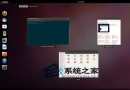
Ubuntu 編輯啟動選單有兩種方式:圖形化工具與手動管理 .desktop 檔案。
終端執行 alacarte,可增刪改查選單項目,但無法刪除系統內建選單(即使 root)。
關鍵路徑:
/usr/share/applications/:系統級選單項目~/.local/share/applications/:用戶級選單項目(優先級較高)~/.local/share/applications/default.list:用戶檔案關聯/etc/gnome/defaults.list:系統檔案關聯mimeinfo.cache:關聯快取/usr/share/applications/ 任一 .desktop 檔案為範本。Name、Exec、Icon、Categories(如 Development; 歸類至「程式設計」)。~/.local/share/applications/ 即可生效。KDE/GNOME 均遵循 Desktop Entry Specification,跨桌面環境相容。